
5-Minute Demo
This walkthrough gives a new user a fast path from a generated project to a validated Agent2Agent task flow.
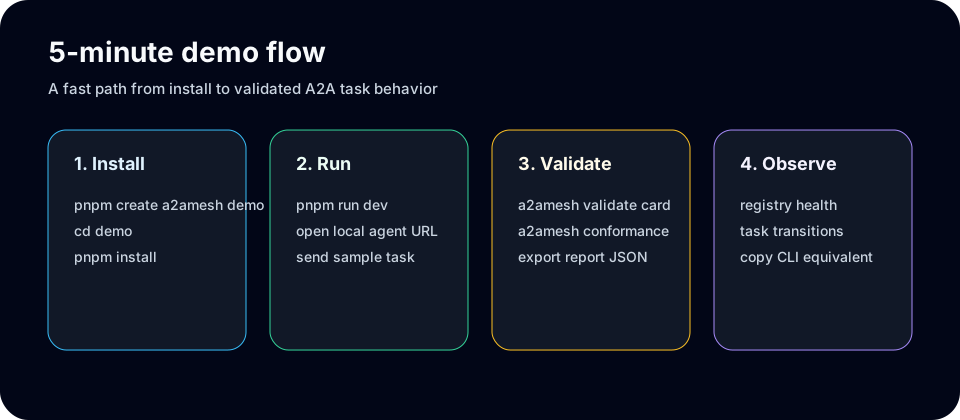
1. Create a project
bash
pnpm dlx @a2amesh/create-a2amesh demo
cd demo
pnpm install
PowerShell:
powershell
pnpm dlx @a2amesh/create-a2amesh demo
Set-Location demo
pnpm install
2. Run the local agent
bash
pnpm run devKeep the local URL printed by the dev server. Use it for CLI validation and message sending.
3. Validate the Agent Card
bash
a2amesh discover http://127.0.0.1:3000
a2amesh export-card http://127.0.0.1:3000 --output ./agent-card.json
a2amesh validate ./agent-card.json
PowerShell:
powershell
a2amesh discover http://127.0.0.1:3000
a2amesh export-card http://127.0.0.1:3000 --output .\agent-card.json
a2amesh validate .\agent-card.json
4. Send a task
bash
a2amesh send http://127.0.0.1:3000 "hello from the demo"
a2amesh monitor http://127.0.0.1:3000 --cycles 3
5. Capture conformance output
bash
a2amesh conformance http://127.0.0.1:3000 --protocol-version 1.0 --json > conformance.json
a2amesh conformance-badge conformance.json --output conformance.svg
The same flow powers the browser playground once the local UI command is wired into the CLI. Until checked-in UI screenshots are available, the visual asset above tracks the expected first-run sequence for docs review.
What to verify
- The generated project installs without workspace-only assumptions.
discover,export-card, andvalidateagree on Agent Card metadata.sendreturns a task response with messages, status, and artifacts where the demo agent produces them.conformancecreates a JSON report that can be saved as a CI or release artifact.