draforge

Kubernetes Dynamic Resource Allocation · Operator toolkit

Find out why a ResourceClaim is pending.

Inspect device pools, follow allocation decisions, and test a fix against simulated accelerators. Run locally without a physical GPU or connect to your existing compatible Kubernetes cluster.

Hardware
No GPU required for simulation
Dashboard access
Read-only, internal by default
Kubernetes baseline
v1.35+ · resource.k8s.io/v1

Choose the environment you have

Both paths use the same DRAForge diagnostics. Only the local path creates a disposable kind cluster and simulated devices.

01 · Local simulationNo cloud account

Explore a complete DRA stack

Build and install the simulator, controller, server, and example claims in a new kind cluster. The installer runs real Kubernetes checks before leaving it available for you.

You need: Bash or WSL, Docker accessible from that shell (verify with docker info), pinned kind, kubectl, Helm, jq, curl and sha256sum. On Windows, enable Docker Desktop's WSL integration for your distribution. Go, Node.js and pnpm are not required on the host for this stack.

In your terminal

git clone https://github.com/oaslananka/draforge.git
cd draforge
DRAFORGE_INSTALL_E2E_KEEP_CLUSTER=1 bash scripts/kind-install-e2e.sh pull-request

Then, in another terminal

kubectl port-forward -n draforge-system svc/draforge-server 8080:8080

Open http://localhost:8080 on the same machine. Check Claims, Graph, and Explain to investigate the simulated allocation.

Existing cluster? The installer refuses to replace it. Inspect the old cluster or choose a new name with DRAFORGE_INSTALL_E2E_CLUSTER_NAME.
Local setup, requirements and cleanup
02 · KubernetesBring your cluster

Observe an existing DRA environment

Install DRAForge via Helm in a compatible cluster. The normal install keeps the dashboard inside the cluster; you choose how and when to access it.

You need: Kubernetes v1.35+ serving resource.k8s.io/v1, an authorized kubectl context, Helm 3, and access to the public component images.

From a clone of the repository

helm upgrade --install draforge deploy/helm/draforge \
  --namespace draforge-system \
  --create-namespace

View the dashboard locally

kubectl port-forward -n draforge-system svc/draforge-server 8080:8080

Open http://localhost:8080. No simulated claim is created by the standard Helm install; it displays the DRA state already present in your cluster.

Read-only by design. The dashboard shows cluster metadata but cannot create, fix, or delete Kubernetes resources. Keep public access behind TLS and authentication.

Helm installation and secure access

From a pending claim to a diagnosis

Inspect

Review device pools, ResourceSlices and ResourceClaims in the dashboard or CLI.

Explain

Identify missing DeviceClasses, selector mismatch, or capacity and node constraints.

Observe recovery

After an authorized operator-side repair, see the updated claim in Graph, Claims and Explain without reloading the page.

This recovery journey is exercised against a real kind Kubernetes API and SSE stream using simulated devices. It does not certify physical GPU scheduling or vendor hardware.

See what the install test actually verifies

Explore relationships at a glance

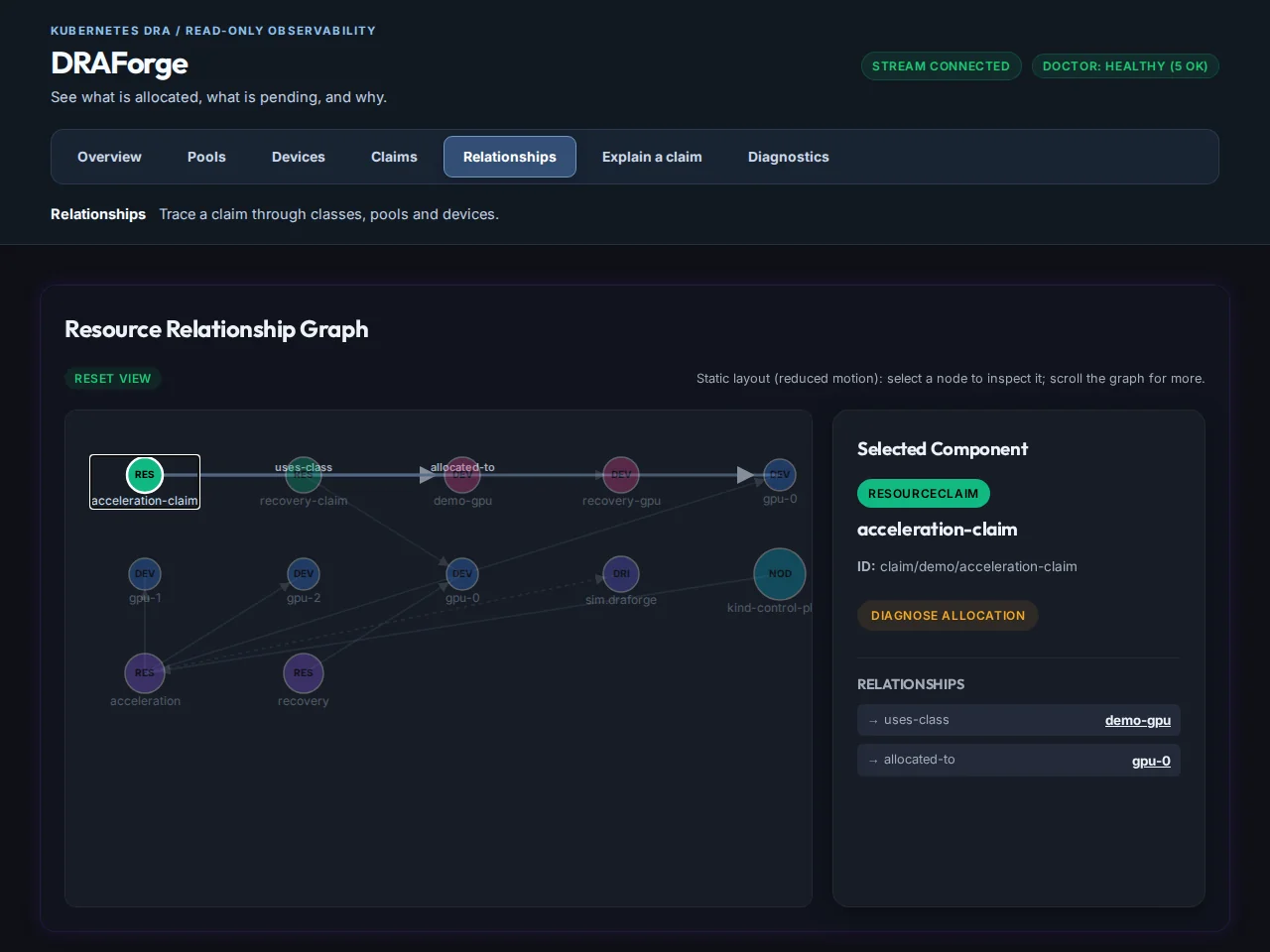
The dashboard shows claims, devices, pools and diagnostic relationships in one place.

DRAForge interactive graph showing a selected simulated ResourceClaim, connected devices, and its diagnosis action
Actual DRAForge interface, shown with synthetic demo data; no public cluster or physical GPU is connected.

Go directly to the right guide