Cursor Integration
Quick Start
kicad-mcp-pro setup cursor
Or manually:
- Copy
.cursor/mcp.json:
{
  "mcpServers": {
    "kicad": {
      "command": "uvx",
      "args": ["kicad-mcp-pro"],
      "env": {
        "KICAD_MCP_PROJECT_DIR": ".",
        "KICAD_MCP_PROFILE": "default",
        "KICAD_MCP_OPERATING_MODE": "readonly"
      }
    }
  }
}
- Copy Cursor Rule:
integrations/cursor/rules/kicad.mdc→.cursor/rules/kicad.mdc - (Optional) Copy Skill:
integrations/cursor/skills/kicad-pcb-review/→.cursor/skills/
Quickstart screenshot
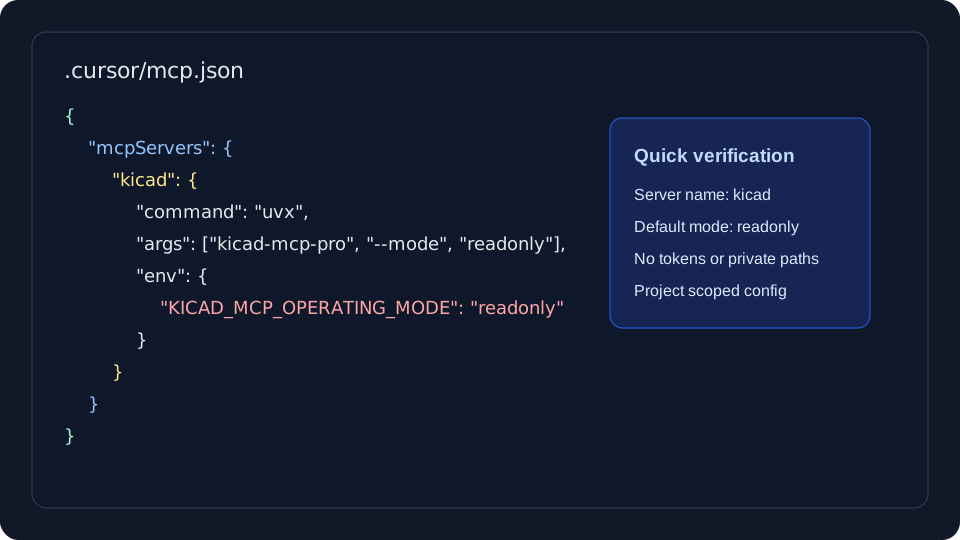
This sanitized screenshot shows the expected project-scoped .cursor/mcp.json shape and the important onboarding posture: the kicad server is present and KICAD_MCP_OPERATING_MODE starts in readonly mode. It intentionally uses no private project path, token, or user-specific workspace name.
Verification
In Cursor Agent mode, ask:
Use kicad MCP to inspect this project.
Example Prompt
Use the kicad MCP server. Inspect this KiCad project, run DRC and ERC, and summarize the results. Do not modify files.